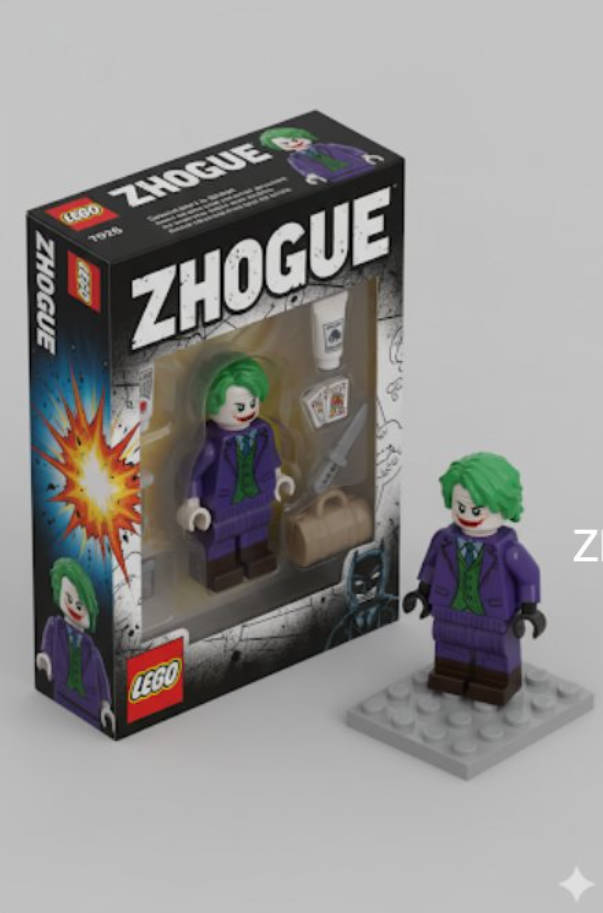
GPT Image 2 is the image generation model behind the GPTImage2 workflow for creating images from text prompts and editing existing images with natural-language instructions. For most creators, the useful question is not only "what is it?" but "what can I reliably make with it?"
The short answer: GPT Image 2 is best when your image needs clear instructions, consistent visual details, and usable text inside the image. That makes it a strong fit for prompt templates, product visuals, social posts, character concepts, image edits, and remixable creative formats.
Best starting point
Use the GPTImage2 generator when you already know what you want to make.
Use the GPT Image 2 prompt library when you want examples before writing from scratch.
Use pricing when you need to estimate credits for repeated generation or client work.
What GPT Image 2 Does Well
GPT Image 2 is useful for tasks where the prompt needs to control more than general style. In GPTImage2, it works especially well for:
- Text-to-image generation: turning a written idea into a finished image.
- Image-to-image editing: uploading a reference image and asking for a transformation.
- Text inside images: posters, labels, packaging, cards, thumbnails, and mockups.
- Character consistency: keeping a person, mascot, or product style recognizable across variations.
- Structured prompt templates: reusable prompts where you change names, colors, poses, products, or scenes.
This is why prompt examples matter. A prompt that already produced a strong result is usually a better starting point than a blank input box.
Use case map:
| GPT Image 2 use case | Why it fits | Prompt detail to include |
|---|---|---|
| Product and packaging visuals | Needs realistic materials, labels, and lighting | Product, surface, camera angle, brand text, constraints |
| Character or avatar concepts | Needs consistency across multiple versions | Identity details, outfit, pose, background, style rules |
| Photo restoration and editing | Starts from an existing reference image | What to preserve, what to repair, what should stay realistic |
| Social posts and prompt templates | Needs a repeatable format users can remix | Layout, text, variable slots, output size |
Example 1: LEGO Minifigure Box Style
This prompt turns a reference photo into a collectible minifigure-style package and also renders the figure beside the box. It is useful because it combines a clear object format, specific camera angle, label text, accessories, and reference-photo transformation.
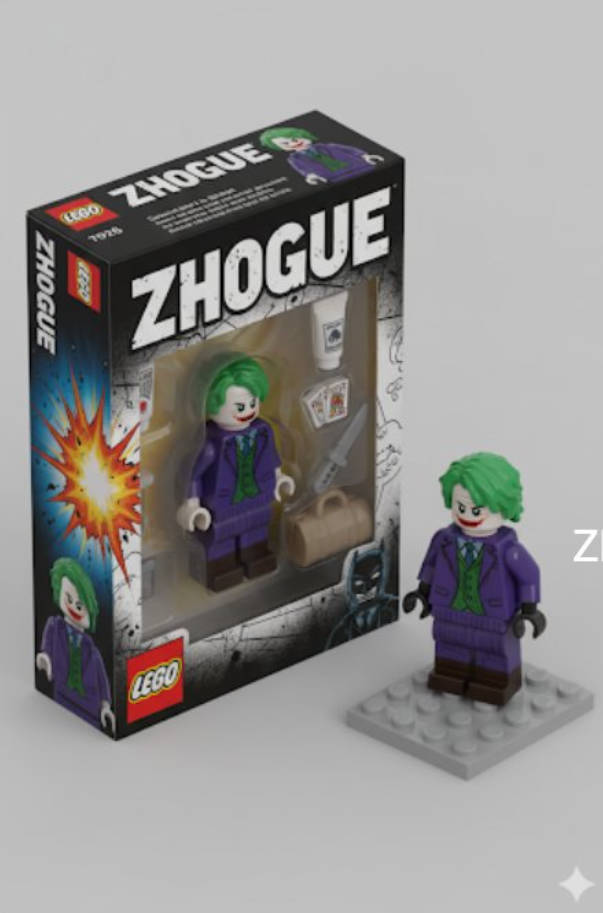
LEGO Minifigure Packaging Box
A reference-photo transformation prompt with a named box title, accessory layout, isometric packaging, and an unpacked figure beside it.
Open promptUse this kind of prompt when you want a viral image format, a personalized gift visual, or a social post that needs a clear before-to-after concept.
Example 2: Product and Brand Visuals
GPT Image 2 is also strong for commercial visuals where the output needs to look intentional instead of random. Product prompts should include the product, material, lighting, surface, camera angle, background, and any text that must appear.
Good product prompts usually specify:
- The product and material.
- The visual angle and crop.
- Lighting direction and mood.
- Background and props.
- Brand text or label copy, if needed.
- Constraints like "no extra hands", "no watermark", or "centered packaging".
For repeated work, use prompt templates with variables such as {product}, {material}, {brand name}, {background}, and {headline}.
Example 3: Restore or Edit an Existing Photo
Image editing is often more valuable than pure generation because the user already has a source image. GPT Image 2 can take a photo and apply a direct transformation such as restoration, recoloring, lighting changes, style transfer, or object replacement.
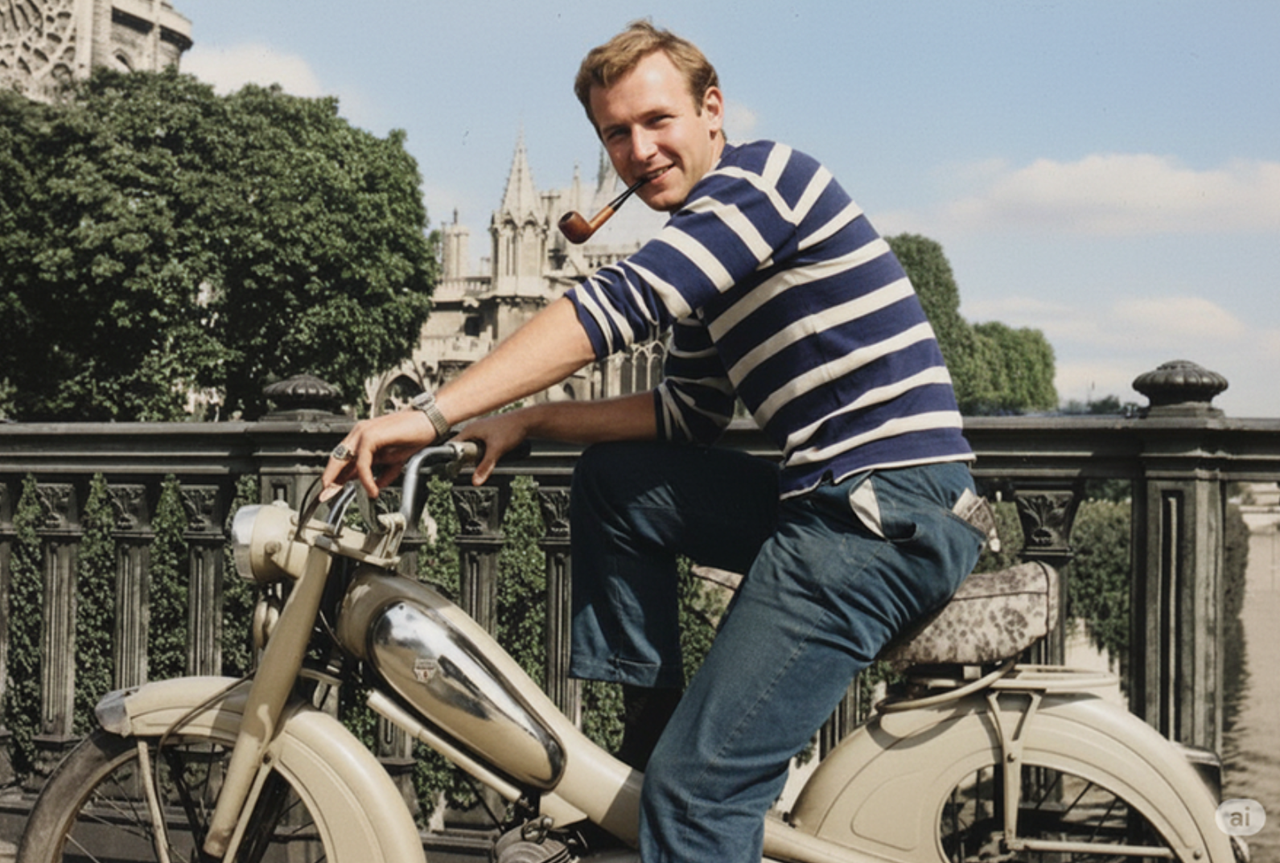
Old Photo Colorize & Restore
A practical image-editing prompt for restoring old photos, improving clarity, and adding natural color while preserving the original subject.
Open promptWhen editing photos, write the instruction like a retoucher would: what to preserve, what to change, and what should stay realistic.
GPT Image 2 vs a Prompt Library
The model creates the image, but the prompt library removes the hardest first step: deciding exactly what to ask for. A good prompt page should include the final prompt, an example image, a copy button, and a direct path into the generator.
That is the workflow GPTImage2 is built around:
- Find a proven prompt in the library.
- Open the prompt detail page.
- Adjust names, subjects, colors, or labels.
- Send it to the generator with one click.
- Iterate from the result instead of starting from zero.
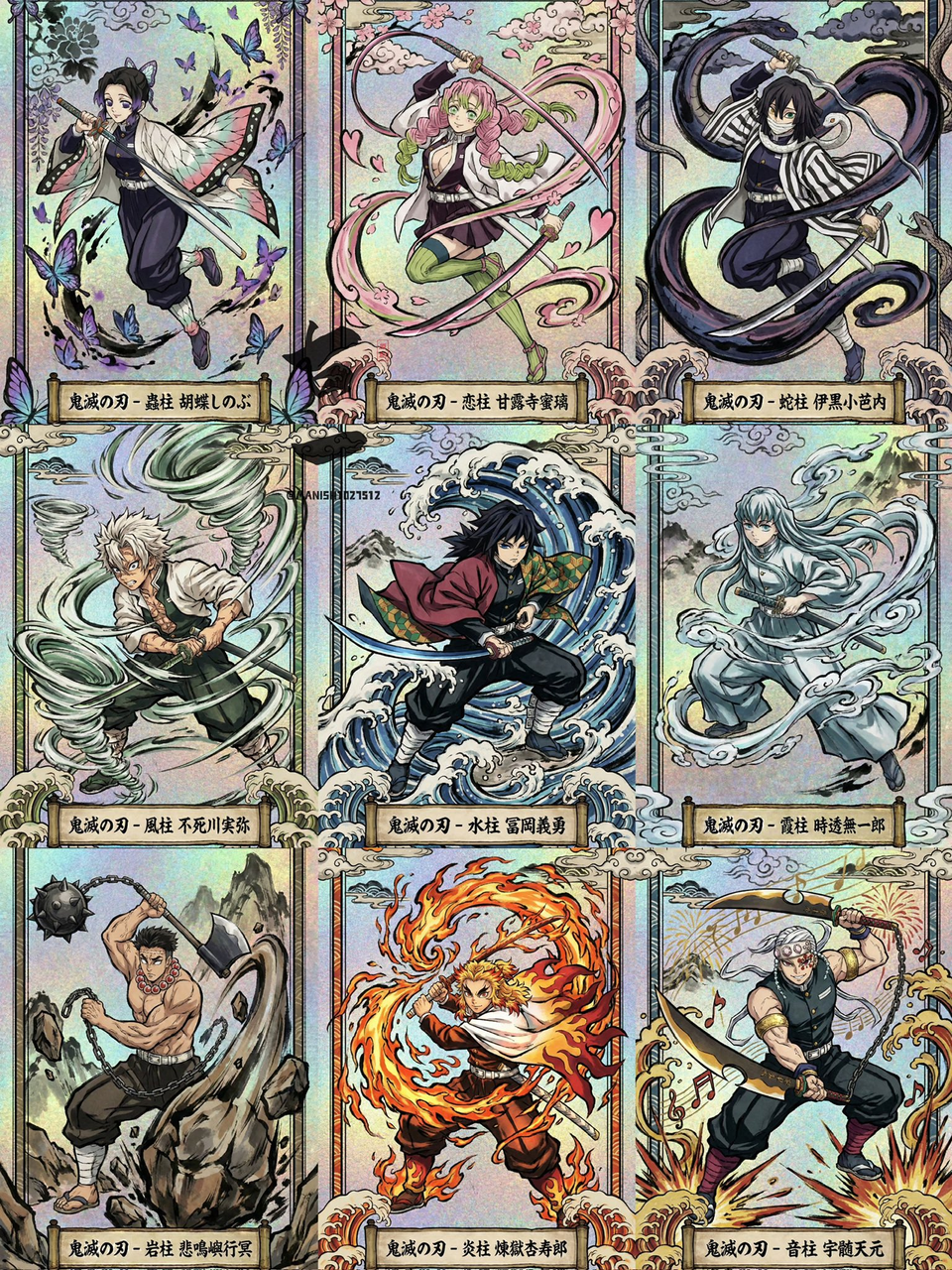
Ukiyo-e Trading Card
A reusable prompt template for card-style images with character slots, title text, foil effects, and a consistent collectible layout.
Open promptHow to Start
If you are testing the model for the first time, start with a concrete prompt rather than a broad request. "A beautiful AI image" is too vague. A better prompt says what the subject is, how it should be framed, what style it should use, and what text or constraints matter.
Try this structure:
Create [subject] in [style], shown from [camera angle], with [lighting], [background], and the text "[exact text]" visible on [surface]. Keep [important detail] consistent. Avoid [common mistake].Then open the generator, paste the prompt, and revise one variable at a time.
FAQ
Is GPT Image 2 only for text-to-image?
No. GPTImage2 supports both text-to-image generation and image-to-image editing workflows. You can start from a written prompt, upload one or more reference images, or combine both. The model is most useful when you clearly describe what to preserve, what to change, and what the final image should be used for.
What should I try first?
Start with a prompt example that already has a preview image. The LEGO minifigure box, old photo restoration, and trading-card prompts are good first tests because they each have a clear output format. Open the example, change only one or two variables, and compare the result before rewriting the prompt.
Can I use GPTImage2 outputs commercially?
Yes. GPTImage2 is built for watermark-free commercial output across product visuals, social images, ads, blog graphics, and client drafts. You are still responsible for avoiding protected logos, real public figures, copyrighted characters, or third-party rights you do not control. Check the pricing page before repeated generation.
Should I write long prompts?
Not always. Specific prompts perform better than long vague prompts. The best prompt includes a concrete subject, visual style, composition, lighting, exact text, and constraints. If you need reliable reuse, turn the prompt into a template with variables such as product, color, scene, label, and output format.